Ashampoo Privacy Inspector 2 Free Giveaway
In today’s digital world, privacy has become one of the biggest concerns for Windows users. Every day, your computer records browsing history, search terms, file activity, downloads, logins, and countless other details about how you use your system. While much of this data is collected to improve user experience, it can also expose sensitive information. This is where Ashampoo Privacy Inspector 2 comes in.
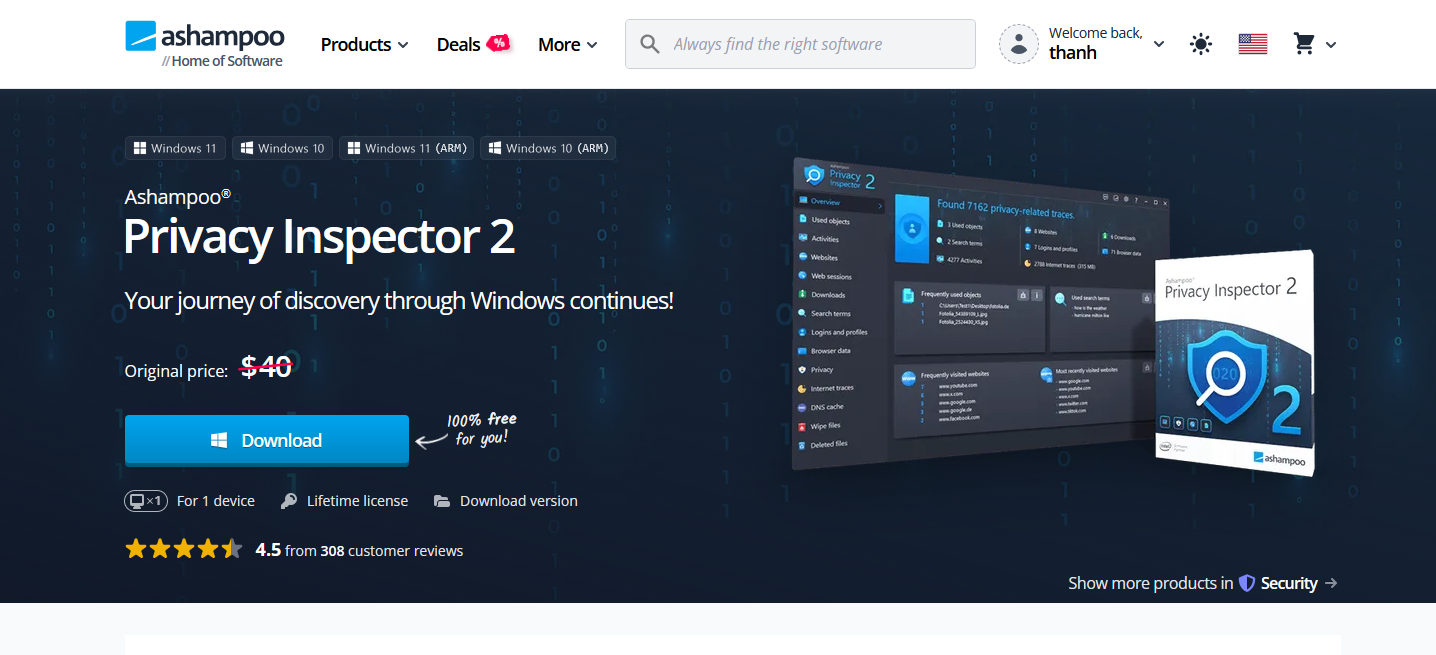
Ashampoo Privacy Inspector 2 is a powerful privacy management tool designed to help users discover, analyze, and remove the traces that Windows and applications leave behind. Instead of simply deleting temporary files, it provides deep insights into what information your PC stores about you and gives you full control over that data.
What Is Ashampoo Privacy Inspector 2?
Ashampoo Privacy Inspector 2 is a Windows privacy and security utility that reveals hidden usage data stored on your computer. The software analyzes activities such as website visits, search history, recently opened files, downloads, DNS cache entries, and system events. Users can then review and selectively remove this information to improve privacy and reduce unnecessary data retention.
The software is designed for both beginners and advanced users, offering an intuitive interface while still providing detailed information about system activity and privacy settings.
Giveaway Ashampoo Privacy Inspector 2 for Free
You visit giveaway page to download it for free: https://www.ashampoo.com/en-us/privacy-inspector-2
Key Features
1. Comprehensive Activity Monitoring
One of the standout features of Privacy Inspector 2 is its new Activities Module. This module provides a detailed timeline of significant events on your PC, including:
- Programs that were executed
- Files and folders that were opened
- Software installations and updates
- User logins and logouts
- System startup and shutdown events
- Software errors and background processes
This level of visibility allows users to understand exactly what is happening on their computers and identify activities that may otherwise go unnoticed.
2. Analyze Browsing Behavior
Privacy Inspector 2 can examine browsing activities across multiple browsers and user accounts. It displays:
- Visited websites
- Search terms
- Download history
- Browsing sessions
- Login activities
- Form entries
The software offers both list and tree views, making it easier to retrace your online activity and identify sensitive information that should be removed.
3. DNS Cache Inspection
Many users are unaware that Windows stores DNS cache entries to speed up website access. Privacy Inspector 2 includes a dedicated DNS Cache Module that allows users to:
- View cached DNS records
- Check host file entries
- Clear outdated or suspicious DNS records
This feature can improve security and help resolve browsing issues caused by outdated DNS information.
4. Advanced Privacy Controls
The software includes a large collection of privacy settings for Windows and applications. Users can disable or limit:
- Telemetry collection
- Location tracking
- Personalized advertising
- Data synchronization
- Password syncing
- Other Windows data-sharing features
These controls make it easier to reduce the amount of personal information sent to Microsoft and third-party services.
5. Internet Cleaner
The built-in Internet Cleaner helps remove online traces such as:
- Browser cache
- Cookies
- Session data
- Temporary internet files
Users can also create a whitelist of important cookies to stay logged into frequently visited websites while removing unnecessary tracking data.
6. Secure File Deletion
Deleting a file normally does not remove it permanently. Privacy Inspector 2 includes a File Wiper that securely overwrites data, making recovery virtually impossible. This is especially useful when deleting confidential documents, financial records, or personal information.
7. Recover Accidentally Deleted Files
In addition to secure deletion, the software also offers file recovery functionality. The Undeleter module scans drives for deleted files and allows users to restore important documents that were removed by mistake.
Supported Browsers
Ashampoo Privacy Inspector 2 supports popular browsers including:
- Google Chrome
- Microsoft Edge
- Mozilla Firefox
- Opera
- Brave
The software can analyze multiple user profiles across these browsers, providing a comprehensive overview of browsing activity.
Benefits of Using Ashampoo Privacy Inspector 2
Using Privacy Inspector 2 offers several advantages:
- Gain complete transparency into what Windows records about your activity.
- Remove sensitive data before others can access it.
- Improve privacy by limiting telemetry and data sharing.
- Manage browser traces across multiple profiles.
- Securely erase confidential files.
- Recover accidentally deleted files when needed.
- Monitor system activity from a centralized dashboard.
Who Should Use It?
Ashampoo Privacy Inspector 2 is ideal for:
- Privacy-conscious Windows users
- Remote workers handling sensitive information
- Business professionals
- IT administrators
- Anyone who shares a computer with multiple users
- Users who want greater visibility into Windows data collection practices
Because of its user-friendly interface, even non-technical users can easily understand what information their PC stores and decide what should be removed.
Final Verdict
Ashampoo Privacy Inspector 2 goes far beyond traditional PC cleanup tools. Instead of merely removing temporary files, it provides deep insight into your computer’s activity, browsing behavior, stored data, and privacy settings. With powerful monitoring tools, secure deletion capabilities, DNS cache management, and extensive privacy controls, it gives users the ability to reclaim control over their personal information.
For anyone concerned about digital privacy on Windows, Ashampoo Privacy Inspector 2 is a valuable tool that combines transparency, security, and ease of use in a single package. Whether you want to understand what your PC knows about you or simply remove unwanted traces of your activity, this software offers an effective solution.