Building a website no longer requires advanced coding skills or a large budget. Today, you can create a professional-looking website for free using website builders, content management systems, and other online tools. Whether you want to start a blog, showcase your portfolio, promote a small business, or create a personal website, there are several ways to get started without spending money.
In this guide, you’ll learn how to build a website for free, choose the right platform, customize your design, publish your pages, and make your website easier for visitors to find.
Can You Really Build a Website for Free?
Yes, you can build and publish a website without paying for hosting, design software, or a custom domain. Many website platforms provide free plans that include website templates, basic editing tools, and hosting.
However, free plans often have some limitations. Your website may use a subdomain provided by the platform, display platform branding or advertisements, or offer limited storage and customization options. Some features, such as advanced analytics, online payments, and custom domain connections, may require a paid upgrade.
For beginners, a free plan is usually enough to launch a personal website, portfolio, simple blog, or basic informational website.
Step 1: Decide What Kind of Website You Want to Build
Before choosing a website builder, determine what you want your website to accomplish. Your goal will influence the platform, layout, and features you need.
Common types of websites include:
Personal website: Share your background, interests, achievements, and contact information.
Blog: Publish articles, tutorials, travel guides, or personal experiences.
Portfolio website: Display your projects, photography, writing samples, or professional skills.
Small business website: Introduce your services, provide business information, and help customers contact you.
Educational website: Share lessons, resources, guides, or other learning materials.
Online store: Showcase products and accept orders, although selling features may require a paid plan.
Choose one primary purpose for your website. A clear goal makes it easier to select the right platform and create useful content.
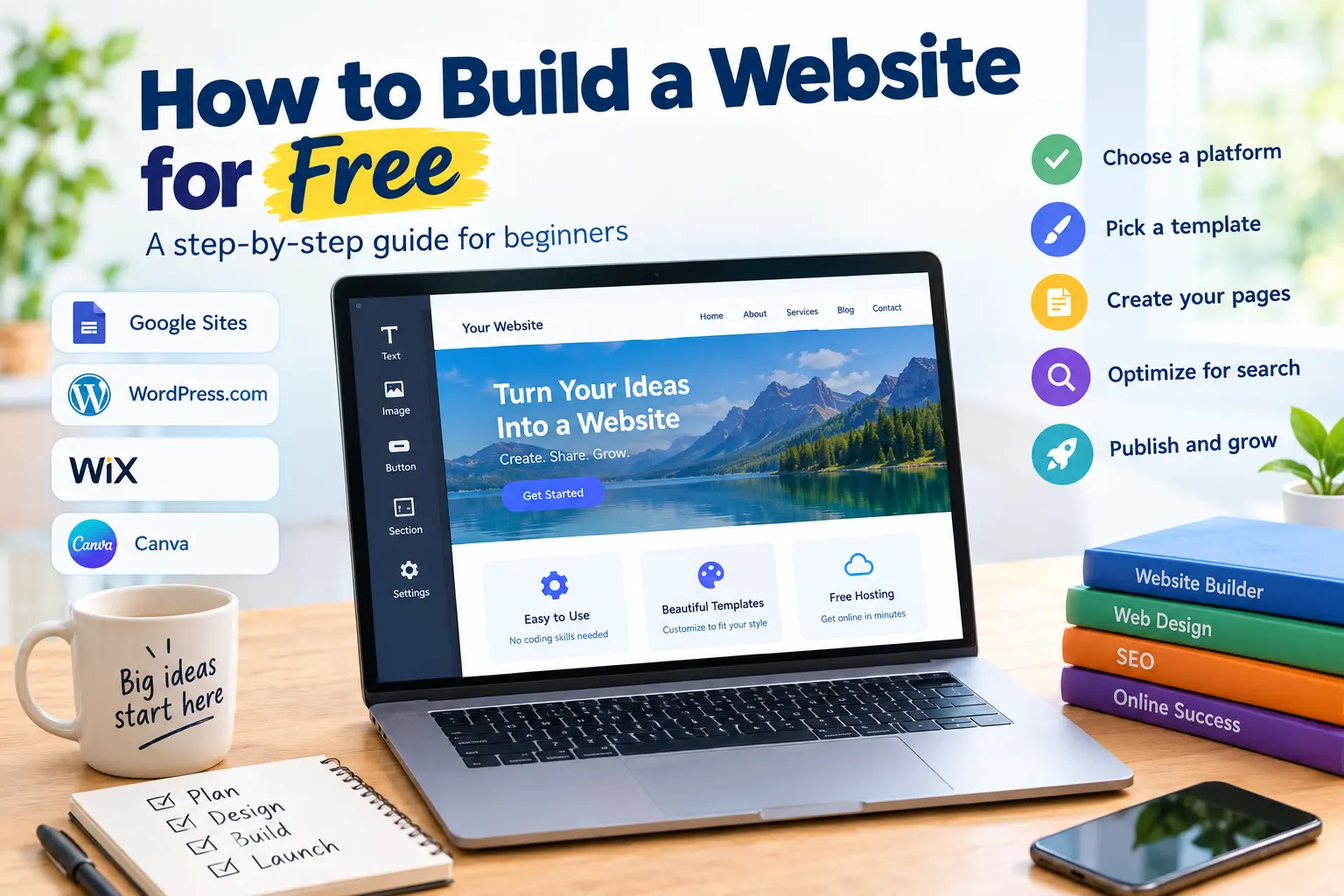
Step 2: Choose a Free Website Builder
The easiest way to create a website without coding is to use a website builder. These platforms provide templates and visual editing tools that let you design pages by adding text, images, buttons, and other elements.
Here are several popular options to consider.
1. Google Sites
Google Sites is a straightforward option for creating simple websites. Its visual editor makes it easy to arrange text, images, links, and embedded content without writing code.
It works well for personal projects, school websites, internal team resources, and basic informational pages. You can publish a site using a Google Sites address without purchasing a custom domain.
The main limitation is that Google Sites offers fewer design and blogging features than more specialized website platforms.
2. WordPress.com
WordPress.com is a popular choice for blogs, content-focused websites, and personal projects. It provides themes and publishing tools that help you create articles and organize content into pages and categories.
Its free plan allows you to get started without purchasing hosting separately. However, free websites use a WordPress.com subdomain and have limitations on customization and advanced features.
Choose WordPress.com if you expect to publish articles regularly or want to build a website around written content.
3. Wix
Wix offers a visual website editor and a variety of templates for portfolios, service businesses, personal websites, and creative projects.
You can arrange page elements, customize layouts, and add different sections without manually writing HTML or CSS. Its free plan is useful for experimenting with website design, although it comes with platform-related limitations and a Wix-branded web address.
Wix is worth considering if visual customization is especially important to you.
4. Canva Websites
Canva allows users to create simple websites using its visual design tools. You can start with a template, customize fonts and colors, add images, and publish a basic website.
It is particularly useful for portfolios, event pages, personal landing pages, and small promotional websites. However, it is less suitable for complex websites that require extensive content management or advanced functionality.
Which Free Website Builder Should You Choose?
Platform
Best for
Main consideration
Google Sites
Simple informational websites
Limited advanced design features
WordPress.com
Blogs and content websites
Free-plan customization limits
Wix
Visually customized websites
Platform branding and plan restrictions
Canva Websites
Landing pages and portfolios
Limited complex website functionality
Free-plan features can change, so review each platform’s current terms before deciding.
Step 3: Sign Up for a Free Account
Once you have selected a platform, create an account using the registration process provided by the service.
Most website builders follow a similar process:
Visit the platform’s official website.
Create an account or sign in.
Choose the option to create a new website.
Select a template or start with a blank design.
Enter your website name and basic information.
Open the editor to begin customizing your pages.
You generally do not need to purchase a domain or hosting package when using a platform that includes free publishing and hosting.
Step 4: Choose a Template and Design Your Website
A template gives your website its initial structure and appearance. Instead of designing every element from scratch, you can start with a layout that matches your website’s purpose.
For example, a portfolio might need a large introduction section, a project gallery, and a contact page. A blog may need a homepage, an article layout, category navigation, and an About page.
When choosing a template, consider these design principles:
Keep the layout simple: Avoid unnecessary sections and distracting animations.
Use readable fonts: Choose clear typography and maintain consistent text sizes.
Select a consistent color palette: Two or three main colors are often enough.
Use high-quality images: Choose relevant images that support your content.
Make navigation obvious: Visitors should be able to find important pages quickly.
Design for mobile devices: Check how the website looks on smaller screens.
A clean, organized website often creates a better impression than a complicated design filled with unnecessary features.
Step 5: Create the Essential Website Pages
Most websites need several basic pages to help visitors understand what the site offers.
Homepage
Your homepage introduces the website and explains its main purpose. Include a clear headline, a short description, and a visible link or button directing visitors to the next step.
About Page
Use this page to explain who you are, what your website covers, or what your organization does. Keep the information relevant to your audience.
Services, Projects, or Content Page
The structure of this page depends on your website. A business can describe its services, a freelancer can showcase projects, and a blogger can organize articles by topic.
Contact Page
Provide an appropriate way for visitors to reach you, such as a contact form, professional email address, or links to relevant social profiles. Avoid publishing personal information that you do not want to make public.
Privacy Policy
If your website collects personal information, uses analytics, embeds third-party services, or includes forms, consider adding an appropriate privacy policy. Make sure it accurately reflects your actual practices and any applicable legal requirements.
You do not need dozens of pages to launch a useful website. Start with the essentials and add more content as your website grows.
Step 6: Add Useful Content and Images
Content is one of the most important parts of a successful website. Visitors should quickly understand what your site offers and why they should spend time exploring it.
Write clear headlines and short paragraphs. Break up long sections with descriptive subheadings, bullet points, and relevant images.
If you are creating a business website, explain your services and how customers can contact you. If you are building a blog, focus on answering readers’ questions with accurate, helpful information. If you are creating a portfolio, show your strongest work and explain your role in each project.
You can use free image resources or create your own graphics, but always check the licensing terms before publishing images you did not create yourself.
Avoid copying content from other websites. Original writing and properly licensed images help make your website more useful and trustworthy.
Step 7: Choose a Free Website Address
A website needs an address that visitors can use to access it. When you publish through a free website builder, the platform may provide a free subdomain.
For example, your website address might look like:
yourname.wordpress.com
yourproject.wixsite.com
A platform-provided Google Sites address
These are illustrative formats; the exact address depends on the platform and its current settings.
A free subdomain is usually sufficient when you are testing an idea, building a school project, or creating a personal portfolio.
If you want a more professional address, such as yourbusiness.com, you will generally need to register a custom domain. Domain registration usually involves a recurring fee, although some services occasionally include domain offers with paid plans.
You can start with a free address and consider upgrading later when your website has a clear purpose and an established audience.
Step 8: Make Your Website Mobile-Friendly
Many visitors access websites from smartphones and tablets. A website that is difficult to read or navigate on a small screen can discourage people from staying.
Before publishing, review your website on different screen sizes.
Check that:
Text is readable without zooming.
Images fit within the screen.
Buttons are large enough to tap comfortably.
Menus work properly on mobile devices.
Important information is not hidden or cut off.
Pages load without unnecessary visual effects.
Many modern website builders automatically adjust layouts for mobile devices, but you should still preview your website and correct any problems you find.
Step 9: Improve Your Website’s SEO
Search engine optimization (SEO) helps search engines understand your website and can improve its chances of appearing in relevant search results. You do not need to buy expensive SEO software to establish the basics.
Start with these steps:
Use descriptive page titles. Give every important page a clear title that accurately describes its content.
Write useful headings. Organize your content with a main heading and logical subheadings.
Create helpful content. Answer the questions your intended audience is actually asking.
Use descriptive URLs when possible. A short, meaningful URL is easier to understand than a long string of random characters.
Optimize images. Use descriptive file names and appropriate alternative text for meaningful images.
Add internal links. Link related pages and articles so visitors can discover more of your content.
Make pages easy to navigate. A logical structure helps both visitors and search engines understand your site.
Check performance and accessibility. Make sure your content is readable, images are appropriately sized, and navigation works for different users.
If your platform supports it, you can also connect your website to Google Search Console to monitor search visibility and identify indexing issues.
Remember that publishing a website does not guarantee immediate rankings or traffic. SEO takes time, and results depend on your content, competition, technical setup, and audience.
Step 10: Publish Your Website for Free
When your pages are ready, use the platform’s publishing option to make the website available online.
Before publishing, complete a final review:
Check spelling, grammar, and formatting.
Test all buttons and links.
Confirm that your contact details are correct.
Review the website on desktop and mobile.
Make sure images display properly.
Remove placeholder text and unfinished sections.
Review privacy settings and publication permissions.
After publishing, open the website address in a separate browser tab to confirm that visitors can access the site.
You can then share the address with friends, customers, colleagues, or your social media audience.
Step 11: Maintain and Improve Your Website
Creating a website is only the beginning. Regular updates help keep your information accurate and your website useful.
Review your pages periodically to correct outdated information, replace broken links, and improve content. If you run a blog, establish a realistic publishing schedule. If you have a business website, make sure your services, operating information, and contact details remain current.
Monitor available website statistics to learn which pages attract visitors and what content performs well. Use those insights to decide what to improve next.
As your needs grow, you may eventually want a custom domain, additional storage, advanced integrations, or more control over your website. You can evaluate paid upgrades when those features become genuinely useful rather than purchasing them before you need them.
How Much Does It Cost to Build a Website for Free?
You can start a basic website for $0 if you choose a free platform and use its included publishing features.
Website component
Possible starting cost
Website builder
$0
Hosting through a free hosted platform
$0
Basic template
$0
Platform-provided subdomain
$0
Custom domain
Usually paid
Premium themes or features
Optional paid upgrades
Professional email address
May require payment
These figures describe typical free-plan possibilities rather than guarantees for every provider. Some services limit particular features, and business or ecommerce websites may incur additional costs.
If your goal is simply to publish information online, you can often avoid all upfront expenses. If you need a custom domain, payment processing, or advanced business tools, check the full pricing details before committing.
Common Mistakes to Avoid When Building a Free Website
Beginners can save time by avoiding a few common mistakes.
Choosing a platform without considering future needs. A simple landing-page builder may not be the best choice for a large blog or online store.
Overcomplicating the design. Too many colors, animations, and menu items can make a website harder to use.
Ignoring mobile users. Always check how your pages appear on smartphones and tablets.
Publishing incomplete content. Remove placeholder text and make sure every public page serves a clear purpose.
Expecting instant search traffic. A new website generally needs time, useful content, and promotion to attract visitors.
Assuming every feature is free. Custom domains, advanced integrations, and some business features may require payment.
Ignoring security and privacy. Use strong account passwords, protect sensitive information, and review the privacy settings available on your platform.
Avoiding these mistakes will help you create a website that looks more professional and is easier to maintain.
Conclusion
Building a website for free is possible, even if you have never created one before. With a free website builder, a suitable template, useful content, and a few basic SEO practices, you can launch a website without paying for coding services or separate hosting.
Start by deciding what your website needs to accomplish. Choose a platform that fits your goals, create a few essential pages, customize the design, and publish your site using a free web address.
You do not need to build everything at once. Launch a simple version first, gather feedback, and improve it over time. When your website grows and you need additional features, you can decide whether a custom domain or paid plan is worth the investment.
The best time to start building your website is when you have a clear idea of what you want to share with the world.