Giveaway Ashampoo Burning Studio 2027 License for Free
Although cloud storage and USB drives have become popular ways to store and transfer files, optical discs still have an important place in digital data management. Many people use CDs, DVDs, and Blu-ray discs to preserve music collections, create movie backups, archive family photos, and store important documents. However, finding reliable software that makes these tasks simple can sometimes be challenging.
Ashampoo Burning Studio 2027 is designed to make disc burning, copying, ripping, and data backup easier for Windows users. Developed by Ashampoo, this software combines several useful tools in one application, allowing users to manage different types of optical media without switching between multiple programs.
Whether you want to create a music CD, burn videos to a DVD, copy an existing disc, or protect important files with backups, Ashampoo Burning Studio 2027 offers a convenient set of features for everyday use.
What Is Ashampoo Burning Studio 2027?
Ashampoo Burning Studio 2027 is a Windows application for burning and managing CDs, DVDs, and Blu-ray discs. It supports a variety of disc formats, including BDXL and high-security discs, and provides additional tools for copying media, ripping audio CDs, creating disc images, and backing up files.
The software is intended for both beginners and experienced users. Its interface is designed to make common burning tasks straightforward, while its more advanced features provide additional flexibility for people who regularly work with optical media.
One of its main advantages is that users can handle several different tasks from a single application. Instead of installing separate programs for disc burning, audio extraction, cover design, and backups, they can access these functions through Ashampoo Burning Studio 2027.
How to Get Ashampoo Burning Studio 2027
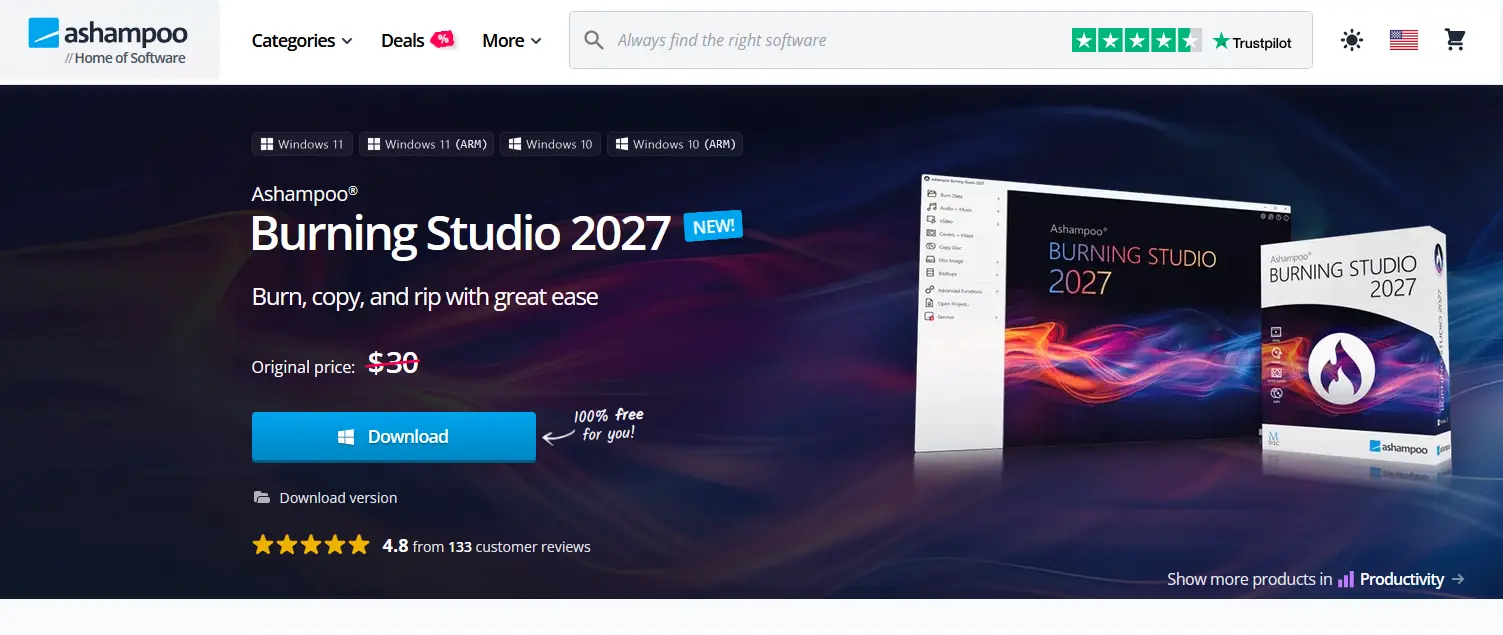
You visit giveaway page: https://www.ashampoo.com/en-us/burning-studio-2027
Then you click Download button.
Key Features of Ashampoo Burning Studio 2027
1. Burn CDs, DVDs, and Blu-ray Discs
The primary function of Ashampoo Burning Studio 2027 is creating optical discs. Users can burn music, videos, photos, documents, and other files onto CDs, DVDs, and Blu-ray discs.
The software supports burning files to individual discs or distributing larger collections across multiple discs. This is particularly useful when working with large photo libraries, video projects, or document archives that exceed the capacity of a single disc.
It also supports BDXL media, giving users additional storage options for compatible hardware.
2. Copy Existing Discs
Creating copies of existing optical discs is another useful feature. Ashampoo Burning Studio 2027 allows users to copy CDs, DVDs, and Blu-ray discs, making it easier to create additional copies of personal media and data.
This can be helpful when you want to keep a backup copy of an important disc or distribute personal recordings to family members and friends.
The copying process is designed to be straightforward, making it accessible even to people who do not have much experience with disc-burning software. Always ensure that you have the necessary rights to copy the content.
3. Create Music CDs and Rip Audio Tracks
Music lovers can use Ashampoo Burning Studio 2027 to create audio CDs from their digital music collections. This is particularly useful for people who still enjoy listening to CDs through traditional stereo systems, car players, or other compatible devices.
The software also includes an audio-ripping function that extracts music from CDs and saves it digitally.
During the ripping process, it can automatically identify tracks and retrieve available track information. CD-Text data is also supported when available, helping preserve useful information about the original music collection.
Another convenient feature is playlist creation. When ripping audio CDs, the software can create playlists to maintain the intended track order, making music collections easier to organize.
4. Back Up Important Files and Devices
Data protection is one of the most practical reasons to keep dedicated burning software installed on a computer.
Ashampoo Burning Studio 2027 includes backup tools that allow users to save important files to CDs, DVDs, USB drives, and external hard drives. It can also help back up data from mobile phones, tablets, and other external devices.
For people who store valuable family photos, personal documents, or work-related files, having additional backup copies can provide extra peace of mind.
The disc-spanning feature is particularly useful for large collections. If a backup exceeds the available capacity of one disc, the software can distribute the data across multiple discs. This makes it possible to preserve larger collections without having to remove files manually.
5. Create and Manage ISO Disc Images
Disc images are useful when you want to store an exact digital representation of an optical disc. Ashampoo Burning Studio 2027 includes tools for creating and browsing disc image formats such as ISO and CUE/BIN.
These tools make it easier to manage disc-image files without immediately needing to burn them onto physical media.
Users can also preview supported disc images, helping them inspect their contents before proceeding with other operations.
This functionality is especially useful for people who regularly work with software installation media, personal archives, and other disc-based content.
6. Burn Scratch-Protected Discs
Physical discs can become scratched or damaged through regular handling. This can make important data difficult to access, especially when dealing with older media.
Ashampoo Burning Studio 2027 includes a scratch-protection function designed to help keep essential data readable even when discs are damaged.
This feature can be valuable when archiving files that need to remain accessible over time. However, it should not replace maintaining multiple backups, since severely damaged discs may still become unreadable.
7. Design and Print Custom Disc Covers
A professionally organized disc collection looks better when every disc has a suitable label and cover.
Ashampoo Burning Studio 2027 includes tools for designing and printing covers and inlays for different disc types. Users can create custom artwork for music albums, movie collections, personal video recordings, and data backups.
This feature is particularly useful for people who maintain physical media libraries or want to give their recorded discs a more professional appearance.
Why Choose Ashampoo Burning Studio 2027?
There are several reasons why this software can be a useful addition to a Windows computer.
An All-in-One Solution: Instead of using separate applications for burning discs, copying media, ripping music, and creating backups, users can access these functions in one place.
Beginner-Friendly Interface: The software is designed to simplify common tasks. Users can create discs, organize music, and back up files without needing advanced technical knowledge.
Support for Multiple Disc Formats: Compatibility with CDs, DVDs, Blu-ray discs, and BDXL media makes it suitable for different storage requirements.
Useful Backup Options: The ability to back up data to optical discs and external storage devices provides additional flexibility for protecting important files.
Cover Design Tools: Built-in cover and inlay design features make it easier to create organized and attractive physical media collections.
System Requirements
Before installing Ashampoo Burning Studio 2027, make sure your computer meets the following minimum requirements.
| Requirement | Specification |
|---|---|
| Operating System | Windows 11, Windows 10 (64-bit) |
| ARM Support | Windows 11 ARM, Windows 10 ARM |
| RAM | 2 GB |
| Sound Card | Standard onboard or USB sound card |
| Internet Connection | Required for activation and periodic license verification |
Users should also have a compatible optical disc drive if they intend to burn or read physical CDs, DVDs, or Blu-ray discs.
Who Should Use Ashampoo Burning Studio 2027?
Ashampoo Burning Studio 2027 is suitable for different types of users, particularly those who still work with physical media.
- Music enthusiasts: Create audio CDs, extract tracks from existing discs, and organize music collections.
- Movie collectors: Burn personal video projects to DVDs and Blu-ray discs.
- Photographers: Archive large photo collections across multiple discs.
- Home users: Back up important documents, family photos, and personal files.
- Small businesses: Create data discs and maintain additional copies of important files.
- Digital media enthusiasts: Create, browse, and manage ISO and CUE/BIN disc images.
If you regularly use optical media or prefer keeping physical copies of important files, this software offers several useful tools in one package.
Final Thoughts
Even though digital storage continues to evolve, CDs, DVDs, and Blu-ray discs remain useful for archiving, sharing, and preserving personal data. Having reliable software that can handle different disc-related tasks makes managing these collections considerably easier.
Ashampoo Burning Studio 2027 brings together essential features such as disc burning, copying, audio ripping, data backup, disc-image management, and custom cover design. Its support for multiple optical media formats and straightforward interface make it a practical choice for users who want a convenient way to manage their physical media.
If you are looking for an all-in-one disc-burning solution for Windows, Ashampoo Burning Studio 2027 is worth considering.