Is there anything more frustrating than being in the middle of an intense match and suddenly feeling your game stutter, lag, or crash? I’ve been there too—staring at a dropping frame rate while my character freezes in the heat of battle. It’s the ultimate “game over” for my mood.
That’s why I’m incredibly excited to share our exclusive giveaway for Smart Game Booster 6! This is the exact tool I use to squeeze every last drop of performance out of my PC, and now, you have the chance to grab a license for free.
Why Smart Game Booster 6 is My Gaming Secret Weapon
If you’re running a modern PC, you know that Windows background tasks and hidden processes are constantly fighting your games for CPU and RAM resources. Smart Game Booster 6 acts like a personal pit crew for your computer. It doesn’t just “close apps”; it intelligently optimizes your system environment so your hardware can focus entirely on rendering high-quality graphics and smooth gameplay. From overclocking my GPU to keep my FPS stable to cleaning out junk files that slow down load times, it has become a non-negotiable part of my gaming setup.
How to Enter the Giveaway
Want to claim your free copy? It’s quick and easy:
Step 2: Enter your email address correctly in the blank.
Step 3: Download this game booster and install it.
Step 4: Register or log in to the ping reducer with the same email to claim your VIP.
How I Use Smart Game Booster 6 for Peak Performance
Once you have your copy, getting set up takes less than two minutes. Here is my personal routine for a flawless gaming experience:
Step 1: The One-Click Boost
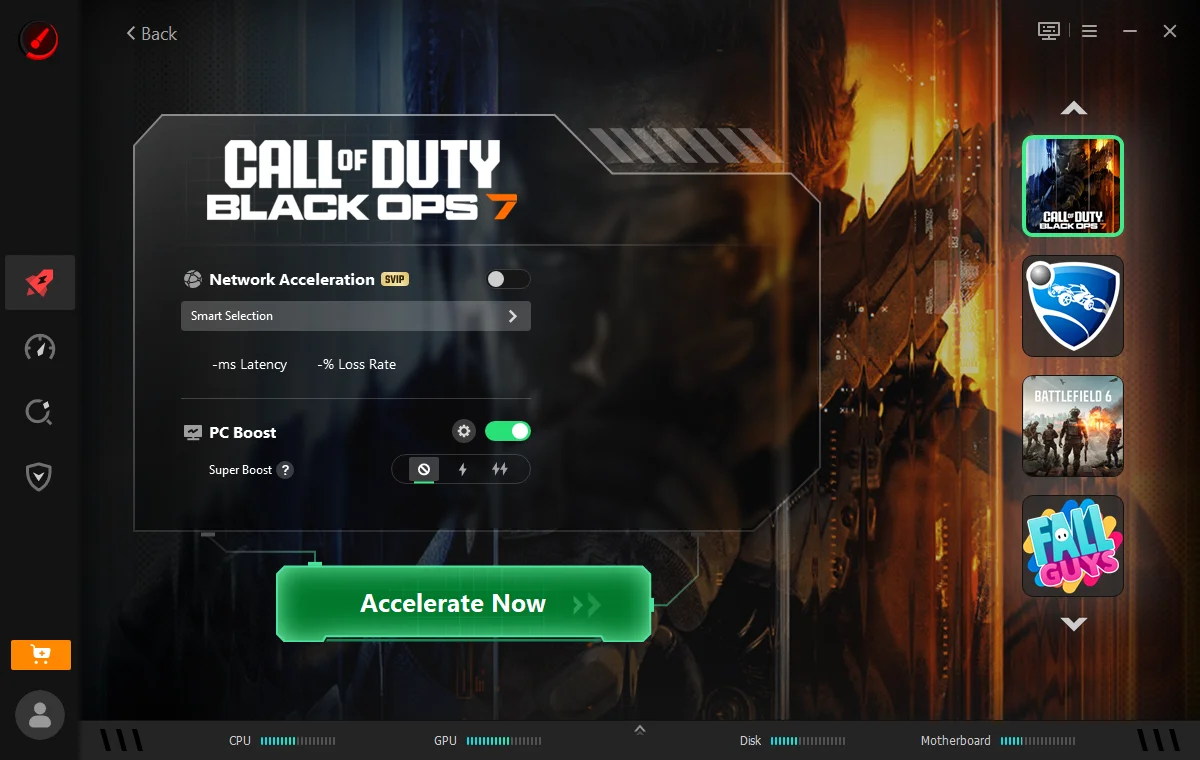
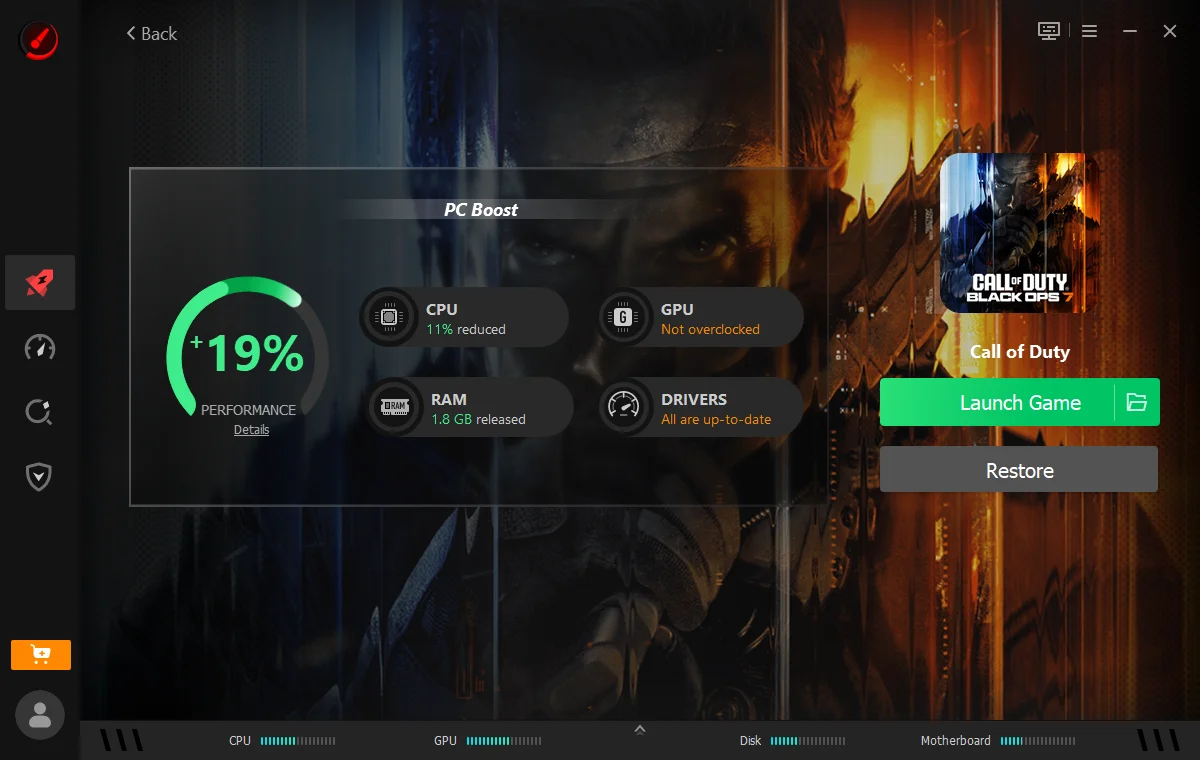
Before I launch my game, I open Smart Game Booster 6 and select the game I play, then click the giant “Accelerate Now” button. It instantly clears out background bloatware and frees up RAM, giving my game immediate performance headroom.
Step 2: Unleash Hardware Power
I head over to the “Super Boost” tab to safely overclock my graphics card. It’s incredibly intuitive—you don’t need to be a hardware expert to see a noticeable jump in frame rates.
Step 3: Monitor in Real-Time
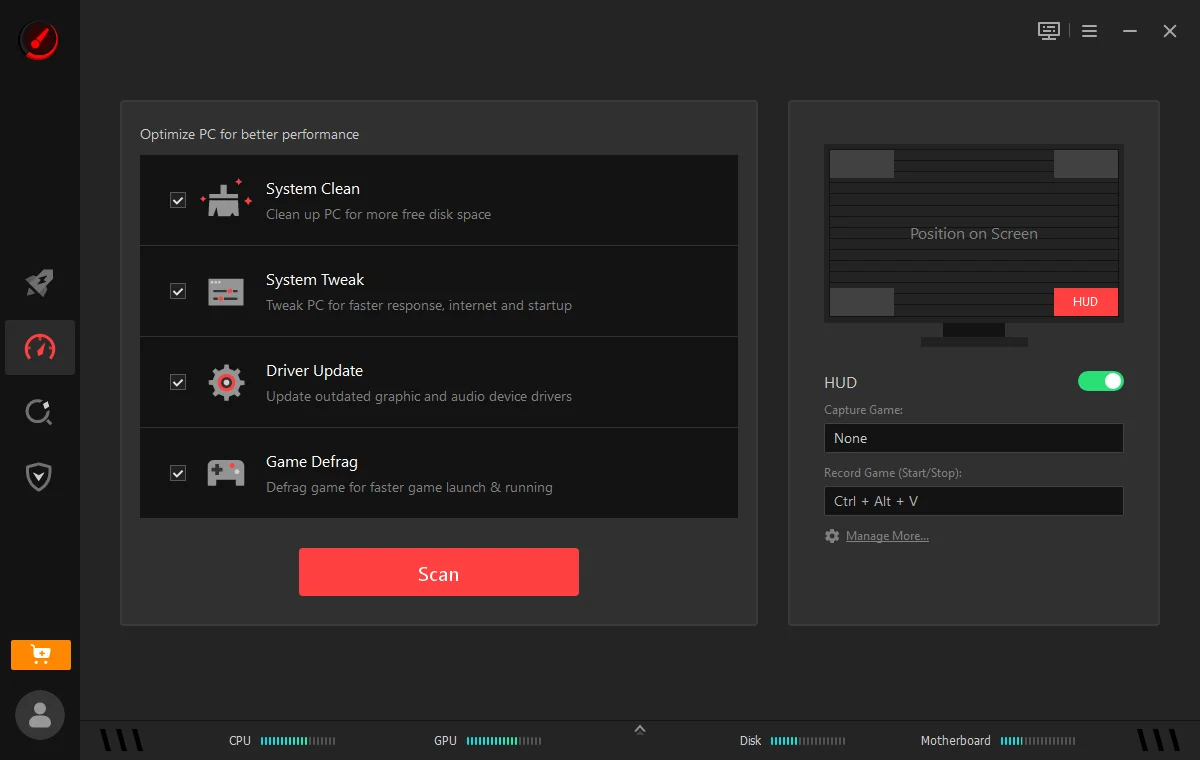
I keep the FPS and temperature overlay active while I play. It gives me peace of mind knowing my CPU and GPU temperatures are staying in the “safe zone” while I push them to their limits.
Step 4: Keep the System Lean
I regularly run the “Driver Update” and “System Clean” features inside this Game Booster. It ensures my drivers are current and my registry stays clean, which prevents those annoying stuttering issues that can pop up over time.
Don’t Let Lag Ruin Your Win
There’s no reason to settle for mediocre performance when you can optimize your rig with the click of a button. Don’t miss your chance to get VIP for Smart Game Booster 6 now! Join the giveaway and get ready to experience your favorite titles at their absolute best! Are you ready to see how many more FPS your current hardware can handle? Let me know which game you want to optimize first in the comments!